

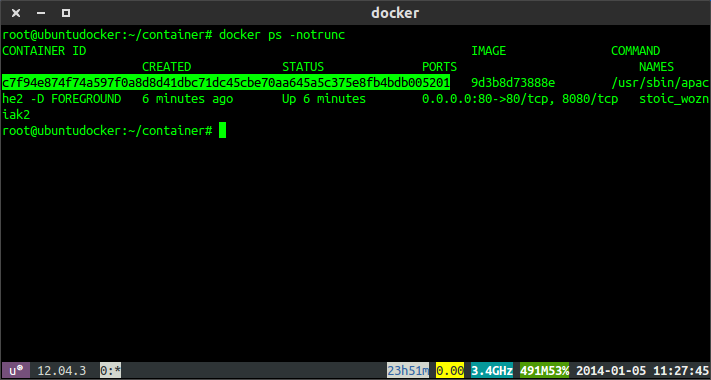
Every Docker container is assigned a unique Container ID, which is useful when managing containers from the command line. Whether you’re viewing logs, executing commands inside a container, or stopping a running service, you’ll often need the container ID.
Docker makes it easy to retrieve container IDs using the docker ps command. You can list only running containers or display every container on your system, including those that have stopped.
Get the Container ID of Running Docker Containers
To display the IDs of all currently running containers, use the following command:
docker ps
Example Output
CONTAINER ID   IMAGE      COMMAND                  CREATED         STATUS         PORTS                    NAMES
a173b2cb4c4c   postgres   "docker-entrypoint.s…"   15 minutes ago  Up 15 minutes  5432/tcp                 postgres-db
8f9c2d1a7b6e   nginx      "/docker-entrypoint.…"   2 hours ago     Up 2 hours     0.0.0.0:80->80/tcp       web-server
The CONTAINER ID column displays the unique identifier assigned to each running container.
For example, the PostgreSQL container in the output above has the container ID:
a173b2cb4c4c
You can use this ID with other Docker commands such as docker logs, docker exec, or docker stop.
Get the Container ID of All Docker Containers
If you also want to view containers that have already stopped, use the -a (all) option.
docker ps -a
Example Output
CONTAINER ID   IMAGE       STATUS                      NAMES
a173b2cb4c4c   postgres    Up 15 minutes               postgres-db
8f9c2d1a7b6e   nginx       Up 2 hours                  web-server
87080cf4cc1c  redis       Exited (0) 3 hours ago      redis-cache
Unlike the standard docker ps command, this version lists every container regardless of its current status.
This is useful when you need to inspect, restart, or remove stopped containers.
Display Only the Container IDs
If you only need the container IDs without the additional details, Docker provides the -q (quiet) option.
For running containers:
docker ps -q
For all containers, including stopped ones:
docker ps -aq
These commands return only the container IDs, making them ideal for scripting and automation.
When You’ll Need a Container ID
Container IDs are commonly used with Docker management commands, including:
- View container logs
docker logs <container-id>
- Open a shell inside a running container
docker exec -it <container-id> bash
- Stop a running container
docker stop <container-id>
- Remove a container
docker rm <container-id>
Conclusion
Retrieving a Docker container ID is straightforward using the docker ps command.
- Use
docker psto list running containers and their IDs. - Use
docker ps -ato display all containers, including those that have stopped. - Use
docker ps -qordocker ps -aqif you only need the container IDs for scripting or automation.
These commands are among the most commonly used Docker utilities and are essential for managing containers efficiently.