

Microsoft is rolling out a long-awaited feature for Windows 11 users that allows two Bluetooth audio devices to listen to the same PC simultaneously. Called “Shared Audio,” the feature uses Bluetooth LE Audio technology and arrives with Windows 11 build 26200.8524 as part of update KB5089573.
The addition brings Windows closer to a capability long available in Apple’s ecosystem, where users can share audio between two pairs of wireless earbuds. While iPhone users have access to “Share Audio” for AirPods and macOS users can configure dual audio output through Audio MIDI Setup, Windows has lacked a built-in solution for shared Bluetooth listening until now.
With Shared Audio, Windows 11 users can connect two supported Bluetooth headphones, earbuds or hearing devices to the same PC and stream audio to both at once.
Shared Audio Arrives in Windows 11 Quick Settings
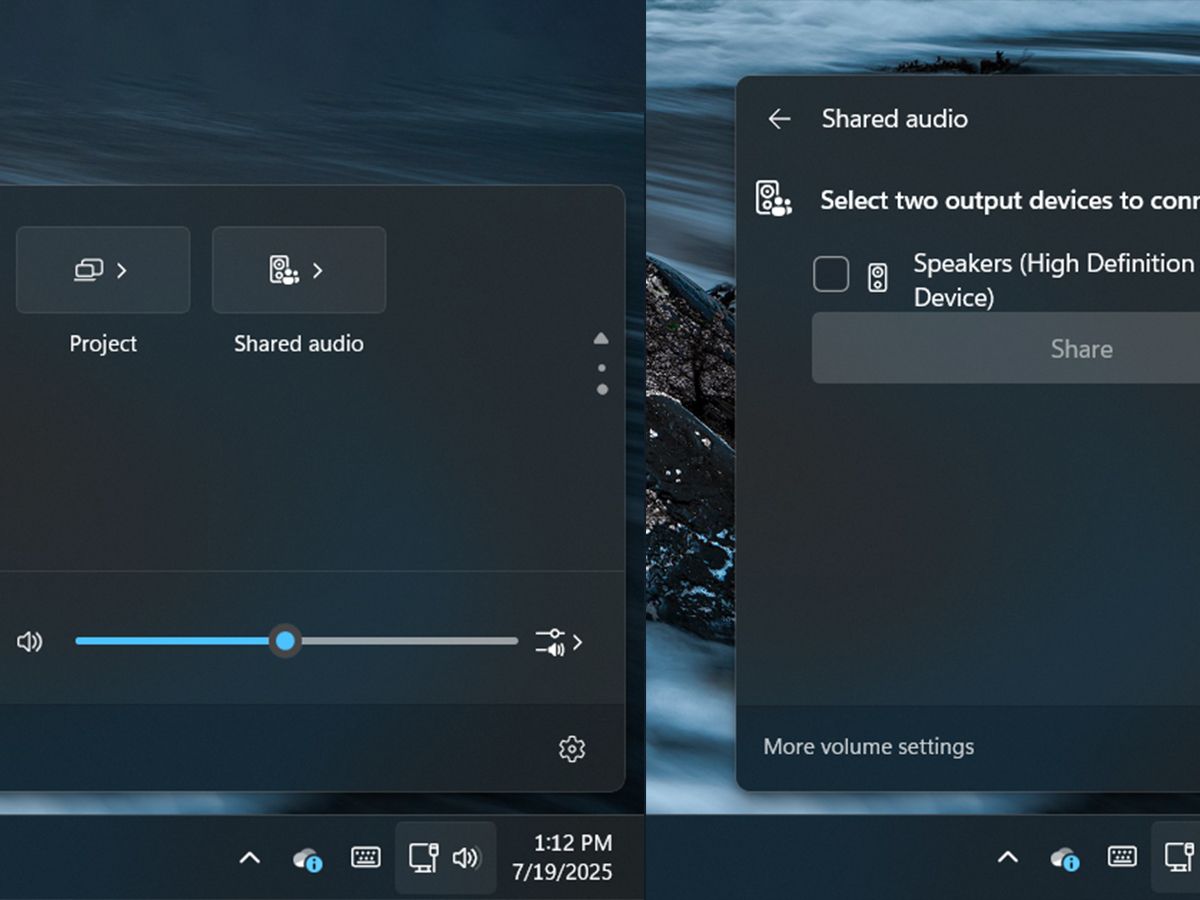
Microsoft confirmed that the feature is being released gradually, meaning it may not appear immediately on all supported devices. Once enabled, users will find a new “Shared Audio” toggle in the Quick Settings panel, accessible through the speaker icon on the Windows taskbar.
After selecting the option, Windows 11 opens a dedicated panel displaying all compatible Bluetooth devices connected to the PC. Users can then choose two supported audio devices and begin sharing audio output.
If a Bluetooth headset does not appear in the list, it likely means the device does not support Bluetooth LE Audio, which powers the feature.
Bluetooth LE Audio Is Required
The Shared Audio feature depends on Bluetooth LE Audio, a low-energy wireless standard introduced in 2020. Most PCs and wireless audio devices released in or after that period are expected to support the technology.
Users can check for Bluetooth LE Audio support by opening Settings > Bluetooth & devices > Devices and looking for the option labeled “Use LE Audio when available” under device settings.
If the setting is missing, the PC may not support Bluetooth LE Audio natively, requiring a newer Bluetooth adapter to access Shared Audio.
However, Bluetooth LE Audio alone is not enough. Systems must also support Bluetooth audio broadcasting, a requirement that currently lacks a dedicated verification tool within Windows. If the Shared Audio toggle does not appear after the rollout period, it may indicate hardware incompatibility.
Individual Volume Controls and Better Audio Flexibility
Windows 11 also introduces separate volume controls for each connected headset in a shared listening session. While both devices initially use the same system volume, users can adjust audio levels independently for each connected output.
A new taskbar icon will appear whenever Shared Audio is active, making it easier to identify when the feature is in use.
The technology works via Bluetooth LE Audio broadcast streams, allowing multiple compatible devices to receive the same audio signal simultaneously without a complicated setup.
In addition to Shared Audio, Windows 11 build 26200.8524 introduces a Low Latency Profile to improve performance and responsiveness for supported Bluetooth devices.
Microsoft expects the rollout of Shared Audio to continue over the coming weeks, with broader availability planned for compatible Windows 11 PCs.